An IOVA LTD product

lo

One chat for every coding agent.

An open-source agent hub. Run Claude Code, Codex, OpenCode and Antigravity sessions on your Mac or a cloud server, then drive them from your phone, the web, the Mac app or your own Telegram bot.

What lo does

Text it, talk to it or tap from your phone. lo starts the sessions, routes the work to the right one and reports back. It only asks you when it matters.

  • Claude Code
  • Codex
  • OpenCode
  • Antigravity
  • ACP agents
  • Yours, per machineYour own Claude login, your own Telegram bot, your own allowlist. Nothing is shared between installs.
  • Voice stays localVoice messages are transcribed on your machine, so the audio never leaves it.
  • Alerts cost nothingPermission prompts and finished tasks reach you from a shell hook, with zero tokens spent.
01 · Your phone is the remote

Web, Mac and phone apps, plus a Telegram bot

The phone web app signs in with a passkey over HTTPS. The web app, the Mac app and the phone app share one look and update together. Or message your own lo bot on Telegram by text or voice.

  • Start sessions, follow them, answer approvals
  • Allow / Deny buttons right in Telegram
  • Several Claude accounts: work moves on when one hits its limit

Illustration with sample data.

02 · Computer use

Agents use your Mac apps without taking your mouse

Desktop control runs headless: agents read any app through its accessibility tree and act on its buttons and fields, without moving your pointer or bringing anything to the front. You keep working while they do.

  • Every engine gets it: Claude, Codex, OpenCode, Antigravity
  • Several sessions at once, each in its own app or window
  • You’re asked once per app before a session can use it

Illustration with sample data.

03 · Browser use

Your agents use your Chrome, through the lo extension

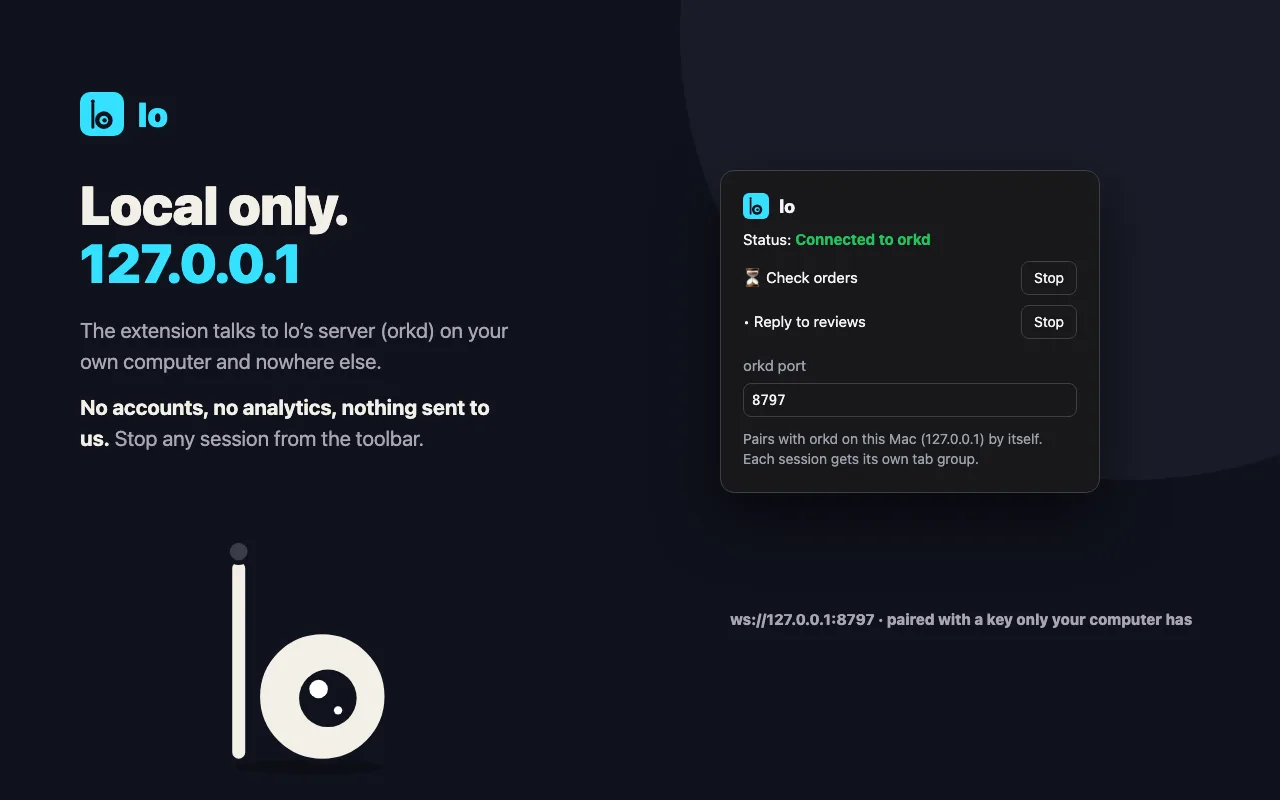
Claude, Codex, OpenCode, Antigravity and routines drive your own Chrome, signed in where you are. Each session gets its own tab group; your tabs and window are left alone.

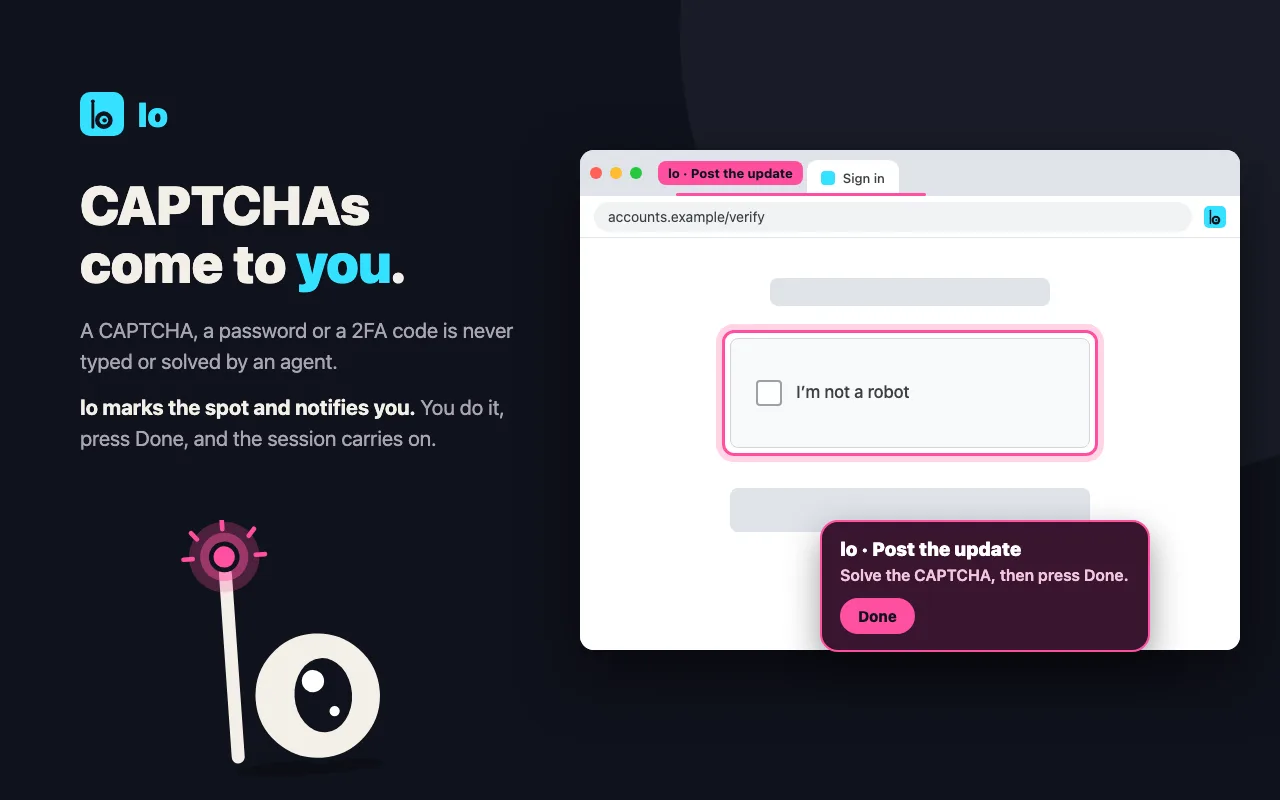
  • Passwords and codes are never typed by an agent
  • CAPTCHAs come to you: lo marks the spot, you press Done
  • Blocked sites are never opened; page text is treated as data
lo Chrome extension: each session works in its own tab group in lo's own window.
04 · Routines

Work that runs on its own schedule

Routines run on their hours and keep a journal the next run reads. New mail can be a routine too: a short digest to Telegram, or triage that sorts each mail and brings work and replies to you.

  • Hire a role, like social media, into any number of projects
  • Workers only draft; you decide what goes out
  • Browser and secrets are given per routine

Illustration with sample data.

05 · Safety

No prompts for routine work. A question before anything you can’t undo.

Steps run without prompts, push and deploy included. lo stops and asks on your phone or in Telegram only before:

  • destroying data
  • deleting folders
  • a force push
  • spending money
  • touching secrets: keys, tokens, .env

Illustration with sample data.

Runs where you work

  • MacWith Homebrew and Claude Code. The phone app reaches it over Tailscale.
  • CloudAny Linux server or hosted VPS, about 10 minutes, with HTTPS and passkey sign-in.
  • WindowsJoins through WSL2 and keeps running after you log on.

curl -fsSL https://uselo.app/install | sh

Optional security add-ons, Strix and Shannon, run as a separate service; lo keeps the phone sign-in and the approvals.

Say lo.
Your agents get to work.

Setup, docs and downloads live at uselo.app. lo is an IOVA LTD product.